
Angry Birds Friends
Rovio Entertainment OyArcade
4.451.37K Reviews
- Version
- 14.9.0
- Installs
- 100.00M
- Age Rating
- Everyone
Screenshots
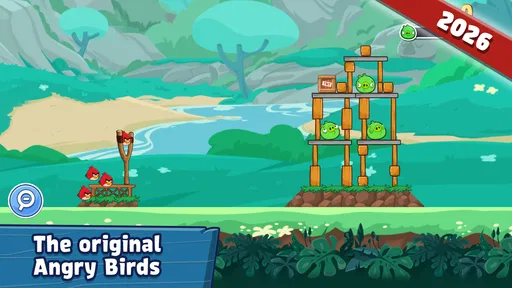
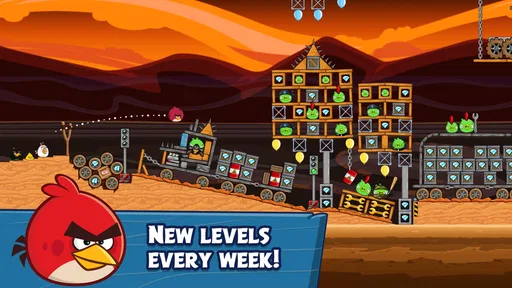
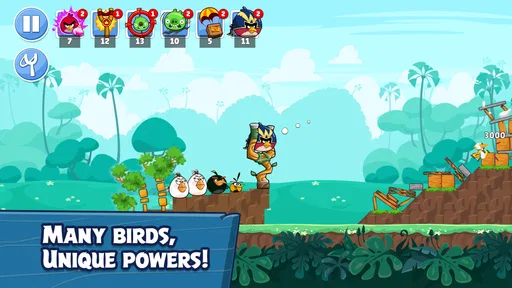
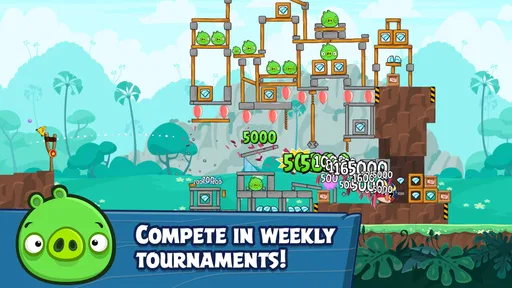
Our Review of Angry Birds Friends
 Analysis by Appyee
When a phone or tablet is passed around at home, a game needs to be easy to pick up without turning every spare moment into a long session. That is where Angry Birds Friends makes sense for me: its familiar slingshot puzzles are simple to understand, while the tournament element gives people a reason to compare attempts. I’d treat it as a casual shared-device option, though, not as a game with household profiles or built-in family coordination.
A quick shared-device game, with a competitive wrinkle
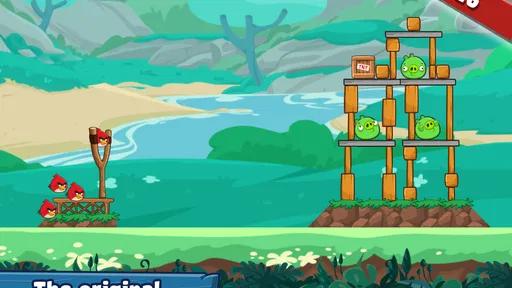
The basic appeal is immediate: pull back, choose an angle, and send a bird into a structure full of pigs. A child who already understands the original Angry Birds idea can grasp the goal quickly, and an adult can join in without needing a tutorial-heavy introduction. The interesting wrinkle is that Angry Birds Friends, an arcade game from Rovio Entertainment Oy, frames those physics puzzles around tournaments and score comparisons rather than only personal progress.
That makes it a better fit for a household that enjoys taking turns and comparing results than for people who want a purely solitary puzzle game. One person can have a shot, hand the device over, and let someone else try to improve the score. I would agree on whose turn it is before opening a round, especially if several people use one device; that simple boundary avoids confusion about who is playing and whose progress or score is being affected.
What to decide before handing over the device
The game is free to download, but it includes in-app purchases, with items ranging from $0.19 to $239.99. That is worth discussing before a younger player gets access to the device. I would check the device’s purchase settings and payment arrangements rather than assume that a free game cannot lead to spending. The presence of optional purchases does not mean anyone needs to buy anything to enjoy the core act of aiming and solving levels, but a shared device makes clear household expectations especially useful.
Competition also changes the tone of a session. A leaderboard can make a quick puzzle more exciting, yet it may make a child—or a very determined adult—want to keep trying after everyone else is ready to stop. I find it helps to decide whether the aim is a couple of casual attempts or a serious push for a better standing before play begins. If your household dislikes score pressure, the game’s tournament framing may feel less relaxing than a puzzle app focused only on completing levels.
Taking turns without mixing up expectations
For a shared tablet, I would treat each play session as a short, named turn: one person plays, then hands it back or passes it to the next person. That is not a special in-game family feature; it is simply a practical way to keep a shared game fair. If players connect social accounts or compare results with other people, the account holder should understand that choice before anyone else uses the device. A child should not be asked to sign in or share an account just to take part in a household round.
The social side can be a plus when friends or relatives already enjoy comparing scores. It gives a household an easy conversation starter—“Can you beat that shot?”—and the puzzle itself makes the challenge visible. But people who want private, offline-feeling play may prefer a game without a prominent competitive layer. I would choose based on whether score comparison sounds motivating or tiring to the people who will actually use the device.
Age, trust, and the right kind of supervision
Angry Birds Friends is rated Everyone, which makes its presentation broadly approachable for family use. That rating is useful context, but it does not replace an adult’s judgment about a particular child’s patience with competition, spending prompts, or shared accounts. I would let younger players enjoy the simple aiming challenge while keeping purchase decisions and any account connection in the hands of the adult responsible for the device.
In everyday use, the game suits a short wait at a café, a quiet spell before dinner, or a relaxed turn-taking session on the sofa. It is less suitable when you need a game that reliably occupies a group without discussion, because the tournament and score element can encourage “one more try.” For a household looking for cooperation rather than comparison, a turn-based game where players work toward one shared goal would be a better match.
The Competitive Edge
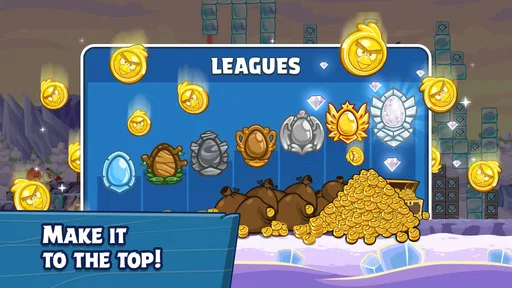
Right off the bat, Angry Birds Friends sets itself apart with its competitive twist. Instead of just aiming for high scores on your own, you get to compete in tournaments against other players. These tournaments are updated regularly, which means there's always a fresh challenge to take on. It’s like getting a new game every week!
What I loved most was the leaderboard aspect. Seeing my name climb up the ranks is ridiculously satisfying. It gives that extra push to perfect my bird-flinging skills. Plus, the rewards for top players are a nice incentive to keep playing.
Gameplay and Features
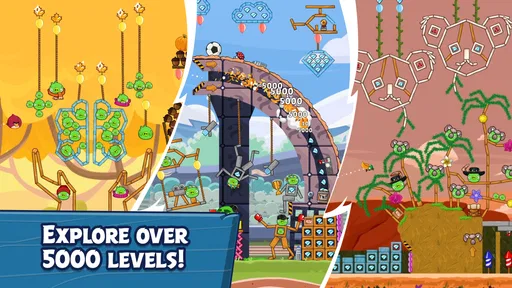
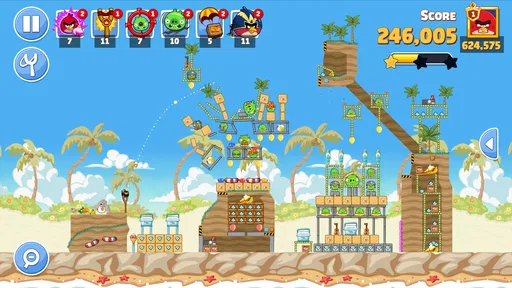
The core gameplay that made the original Angry Birds a hit is still here. You’ll be launching different types of birds, each with unique abilities, to topple structures and defeat those pesky pigs. The physics-based puzzles are as challenging and addictive as ever.
But there’s more! The game introduces power-ups that can give you an advantage in tricky levels. Whether it's a Super Seed to make your birds bigger or a Wingman to cause extra damage, these power-ups are game-changers. They add a strategic layer to the game, making it more than just a test of aiming skills.
My practical tip is to pause before spending a power-up on a frustrating attempt. First, look at the structure and decide which supports are doing the most work; a shot that brings down a key section can be more valuable than simply aiming at the nearest pig. If the first angle fails, changing the release point or timing the bird’s ability may teach you more than repeating the same shot. That makes the puzzles rewarding for players who like experimenting, but less appealing to anyone who wants every level solved with one obvious move.
Power-ups also create a meaningful trade-off in a competitive setting. They can help when a level’s layout is awkward, but using them casually may reduce the satisfaction of figuring out a clean solution yourself. I would save them for a round where improving the result matters to me, rather than treating them as part of every ordinary attempt. Players who mainly want a relaxed physics puzzle can focus on the slingshot and leave the competitive extras alone as much as the game allows.
Graphics and Sound
The graphics in Angry Birds Friends are vibrant and full of life. Each level is packed with colorful details and quirky animations that make the game visually appealing. The sound design complements this with playful tunes and satisfying sound effects. Seriously, nothing beats the sound of a well-aimed bird smashing through a pig fortress.
The clear, exaggerated action helps when someone is watching over another player’s shoulder: it is easy to see why a shot worked, or why a tower collapsed in an unexpected direction. That visual feedback makes the game pleasant to pass around, even when the person waiting for a turn is not playing. On the other hand, repeated sound effects can become distracting during a longer session in a quiet room, so I would lower the device volume or use silent play when the setting calls for it.
Community and Social Features
One of the coolest parts of Angry Birds Friends is the social element. You can connect the game to Facebook and see how your scores stack up against friends. This adds a personal touch to the competition and makes it easier to brag about your awesome skills.
Plus, the community aspect extends to the in-game chat and forums. It’s a great way to share tips, tricks, and even a little bit of friendly trash talk. It’s this sense of community that keeps the game feeling fresh and engaging.
For a household, I would separate “playing together” from “connecting accounts.” You can take turns on a device without making every player responsible for a social sign-in, and not everyone will want scores associated with the same account. If comparing results with friends is the main draw, decide which adult account, if any, should handle that connection. If the goal is simply to enjoy a few bird-flinging puzzles together, keeping the session informal may be less complicated.
The game’s free entry point is useful for trying that arrangement before committing to anything. Its average rating is 4.4 from around 1.3 million ratings, and it has been installed over 100 million times, which suggests it has broad reach without guaranteeing that its competitive style will suit every player. It first arrived on May 2, 2013, and version 14.0.0 has a minimum OS requirement of 7.0. Those details make it easier to judge whether an older device is a candidate, though I would still check the device’s app store before planning a shared setup.
How it compares with other arcade choices
Compared with a standard solo puzzle game, this one gives score chasing and tournaments a much larger role. That can make a familiar level feel worth revisiting, because a better result has a social or competitive payoff. Compared with a fast reflex arcade game, its appeal is more about choosing a trajectory and reading the structure than reacting at high speed. I would recommend it to someone who likes short physics puzzles and friendly rivalry, but suggest a calmer, noncompetitive puzzler to anyone who finds rankings stressful.
It also occupies a different niche from multiplayer games that require players to act at the same time. Here, the slingshot puzzle naturally supports taking turns: one player can make an attempt, and another can study the result before trying. That makes it convenient for casual household play, but it does not automatically make the experience cooperative. The central satisfaction still comes from individual shots and scores, so families wanting a shared objective may be happier with a game designed around teamwork.
Why You Should Give It a Shot
If you're looking for a game that mixes nostalgia with new challenges, Angry Birds Friends is a must-try. It’s perfect for those quick gaming sessions when you have a few minutes to spare but can also become quite the competitive hobby. Whether you're in it for the fun of launching birds or the thrill of topping the leaderboard, this game delivers on all fronts.
My recommendation depends on what you want from a mobile game. I’d choose it for quick, replayable slingshot puzzles, a bit of score comparison, and a shared device where players are comfortable taking turns. I would skip it if you want a completely quiet solo experience, dislike leaderboards, or need a game built around cooperative household play. The Everyone rating is reassuring for its general tone, while purchase and account boundaries still deserve a little adult attention.
So, why wait? Join the flock and see if you’ve got what it takes to be the top bird flinger in town. Trust me, it’s a blast!
Privacy and Permissions
See what permissions an app requests and how it handles your data.
- Wi-Fi connection information
- view Wi-Fi connections
- Other
- view network connections, full network access, prevent device from sleeping, Google Play license check
Verdict
Strengths of Angry Birds Friends
- Weekly tournaments keep the gameplay fresh.
- Compete with friends for leaderboard spots.
- Daily rewards encourage regular play.
- Simple controls suitable for all ages.
- Offline mode available for on-the-go fun.
Limitations of Angry Birds Friends
- In-app purchases can be pricey.
- Requires internet for certain features.
- Ads may disrupt the gaming experience.
- Limited levels without tournament play.
- Some levels feel repetitive over time.
Other Releases by Rovio Entertainment Oy
View All
Angry Birds 2
Casual4.1

Angry Birds Transformers
Arcade4.7

Angry Birds POP Bubble Shooter
Casual4.5

Battle Bay
Action4.1
Similar Picks in This Category
View All
Subway Surfers
SYBO Games4.6

Stickman Party 234 MiniGames
PlayMax Game Studio4.6

Subway Princess Runner
Ivy4.4

Temple Run
Imangi Studios4.2

Zombie Tsunami
Mobigame SAS4.6

Stack Ball - Crash Platforms
CASUAL AZUR GAMES4.5
Frequently Asked Questions
What is Angry Birds Friends and how does it differ from the original Angry Birds?
Angry Birds Friends is a social, competitive version of the classic Angry Birds game. Unlike the original, which is primarily a single-player experience, Angry Birds Friends allows you to compete against friends and other players in weekly tournaments. It offers unique levels, new challenges, and the opportunity to earn rewards and climb leaderboards.
Can I play Angry Birds Friends without an internet connection?
While you can play some aspects of Angry Birds Friends offline, such as completing previously downloaded levels, an internet connection is required to access new tournaments, compete against friends, and update leaderboards. For the best experience and to fully engage with its social features, a stable internet connection is recommended.
Are there in-app purchases in Angry Birds Friends?
Yes, Angry Birds Friends includes in-app purchases. Players can buy coins and power-ups to enhance their gameplay and improve their chances in tournaments. While the game is free to download and play, these purchases can help players progress faster or achieve higher scores. However, they are entirely optional.
How often are new levels or tournaments added to Angry Birds Friends?
New tournaments in Angry Birds Friends are added weekly, providing fresh challenges and opportunities to compete. Each tournament typically consists of several levels, and players can earn rewards based on their performance. Regular updates ensure that there’s always something new to explore and enjoy.
Is Angry Birds Friends suitable for all ages?
Angry Birds Friends is designed for a broad audience and is generally suitable for all ages. The game features cartoon violence and strategic gameplay that can appeal to both children and adults. However, parental guidance is advised due to the presence of in-app purchases and online interactions.
Play our best games!


